Net worth, live
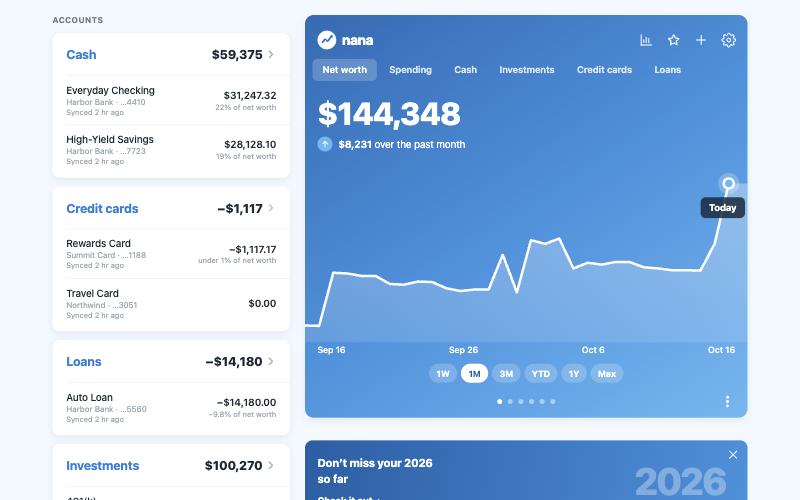
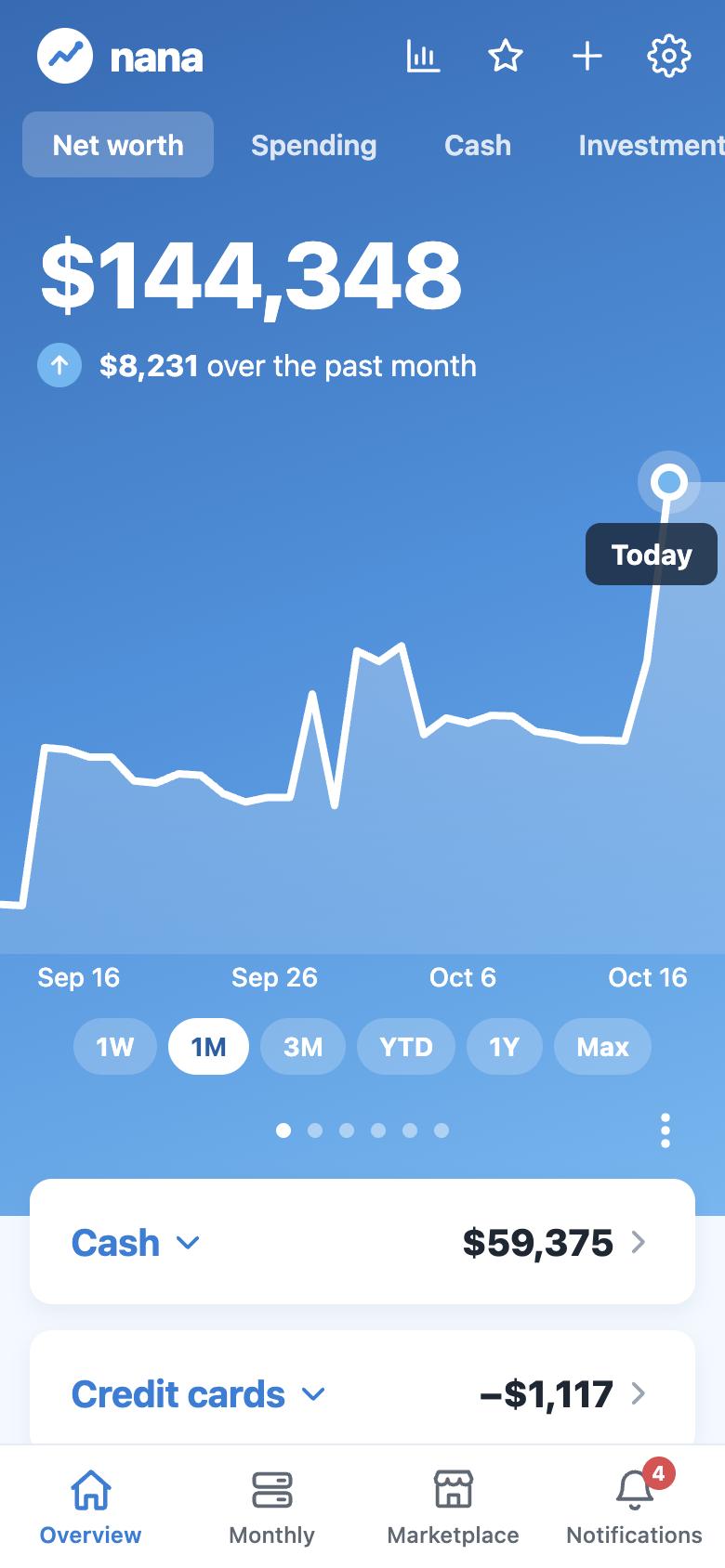
Every bank, card, loan, investment, home and car in one number, with how each account moves it.
Private beta Personal finance for you and your household
Nana brings every bank, card, loan and investment together, shows where your money goes, and helps you give every extra dollar a job. On iPhone and on the web.
Everything in one app
Nana does the adding up, so you can spend a few minutes a week on your money instead of an evening a month.
Every bank, card, loan, investment, home and car in one number, with how each account moves it.
Fixed bills and everyday spending, yearly costs set aside monthly, and budgets that roll what’s left into next month.
Your 401(k), IRA, brokerage and stock plans added up: by type, by holding, and how much rides on any one company.
Set goals on the accounts you save in. An emergency fund that sizes itself to 3–6 months of your spending.
Large purchases, over-budget categories, bank fees, new subscriptions and bills due. Tap one and land right on it.
A bonus or a good month? Nana suggests a home for it: your cushion first, then your goals, then investing.
Overview
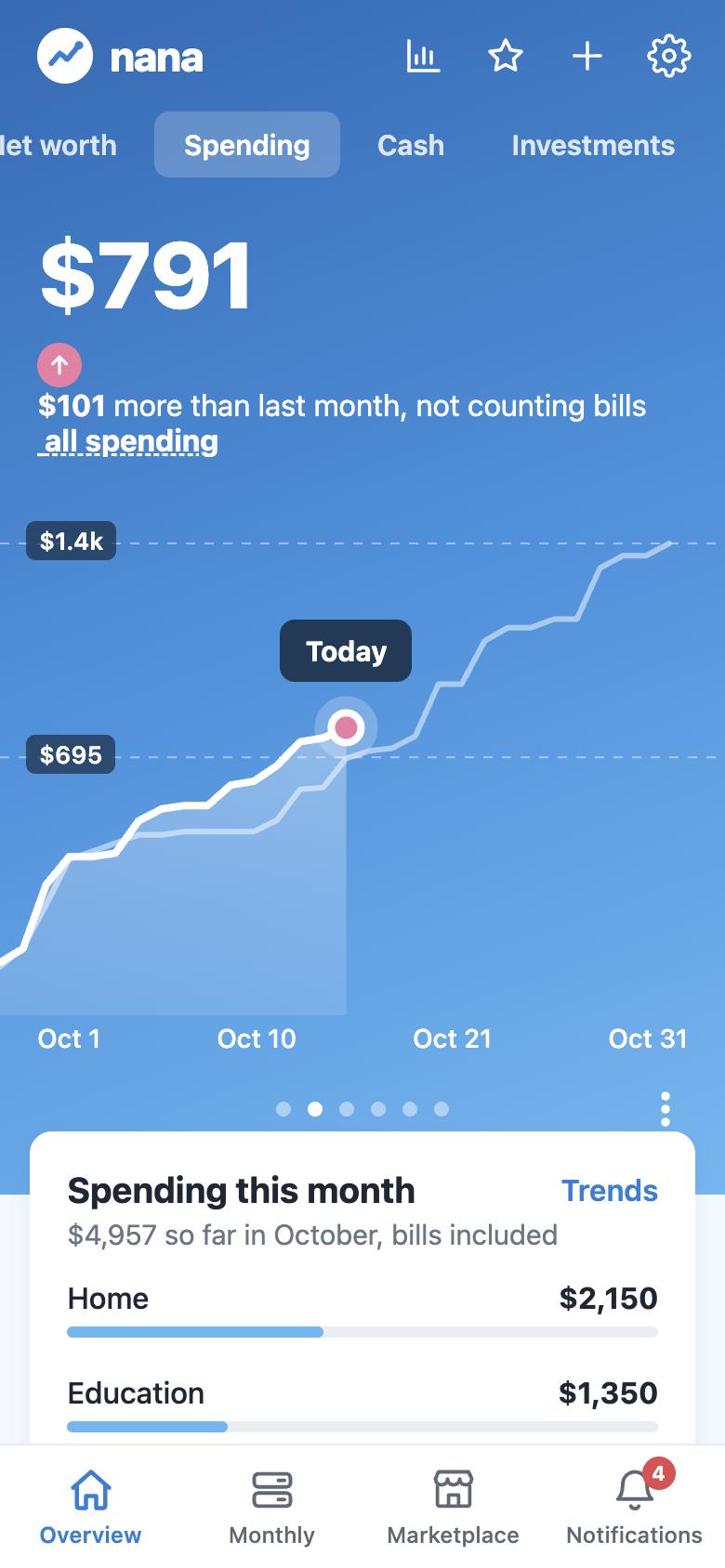
Swipe between net worth, spending, cash, investments, cards and loans. Each tab shows what belongs to it: spending by category, the activity on your cards, every holding in your portfolio.
Budgets
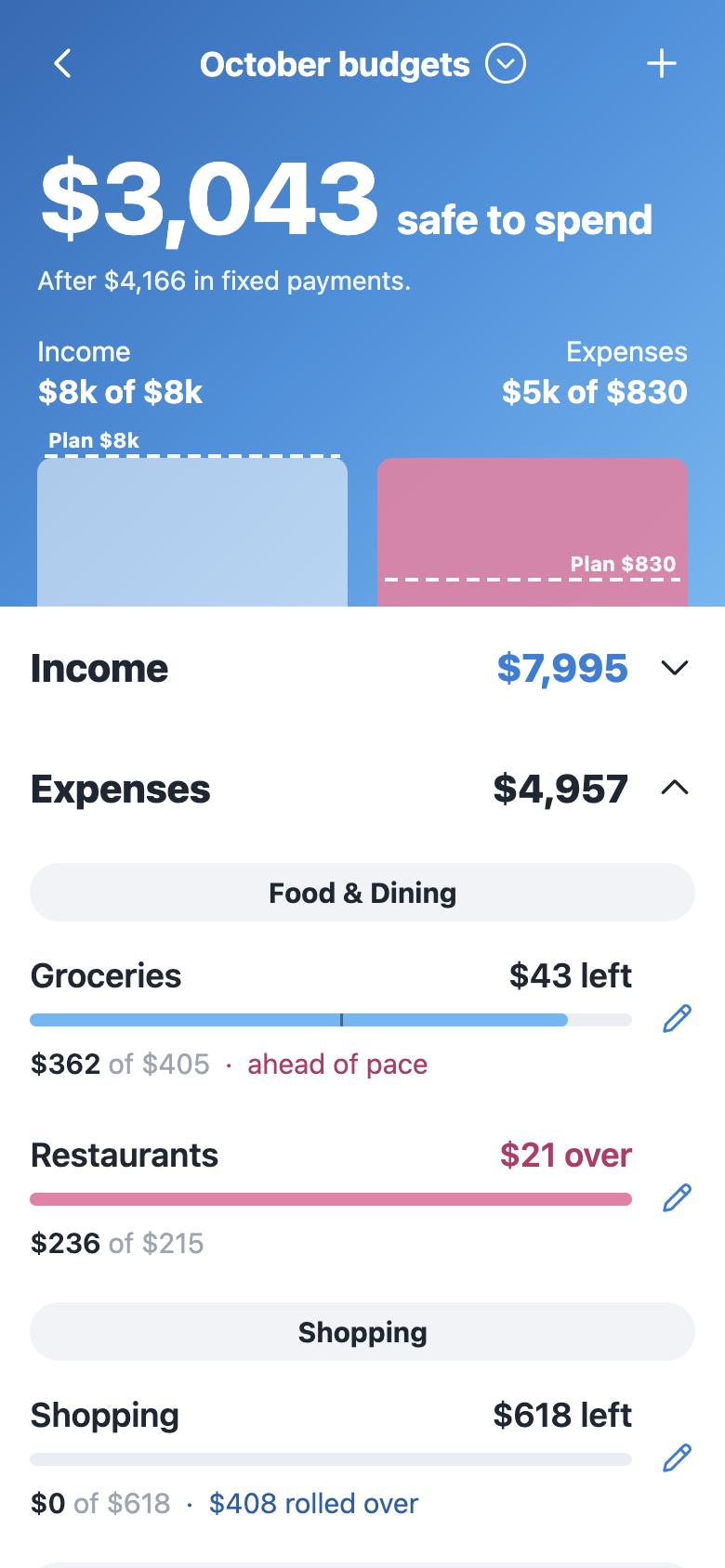
Nana starts from what you actually spend and shows what’s safe to spend after this month’s bills. Some budgets start fresh each month; others roll over, so saving for a new laptop builds up on its own.
Investments
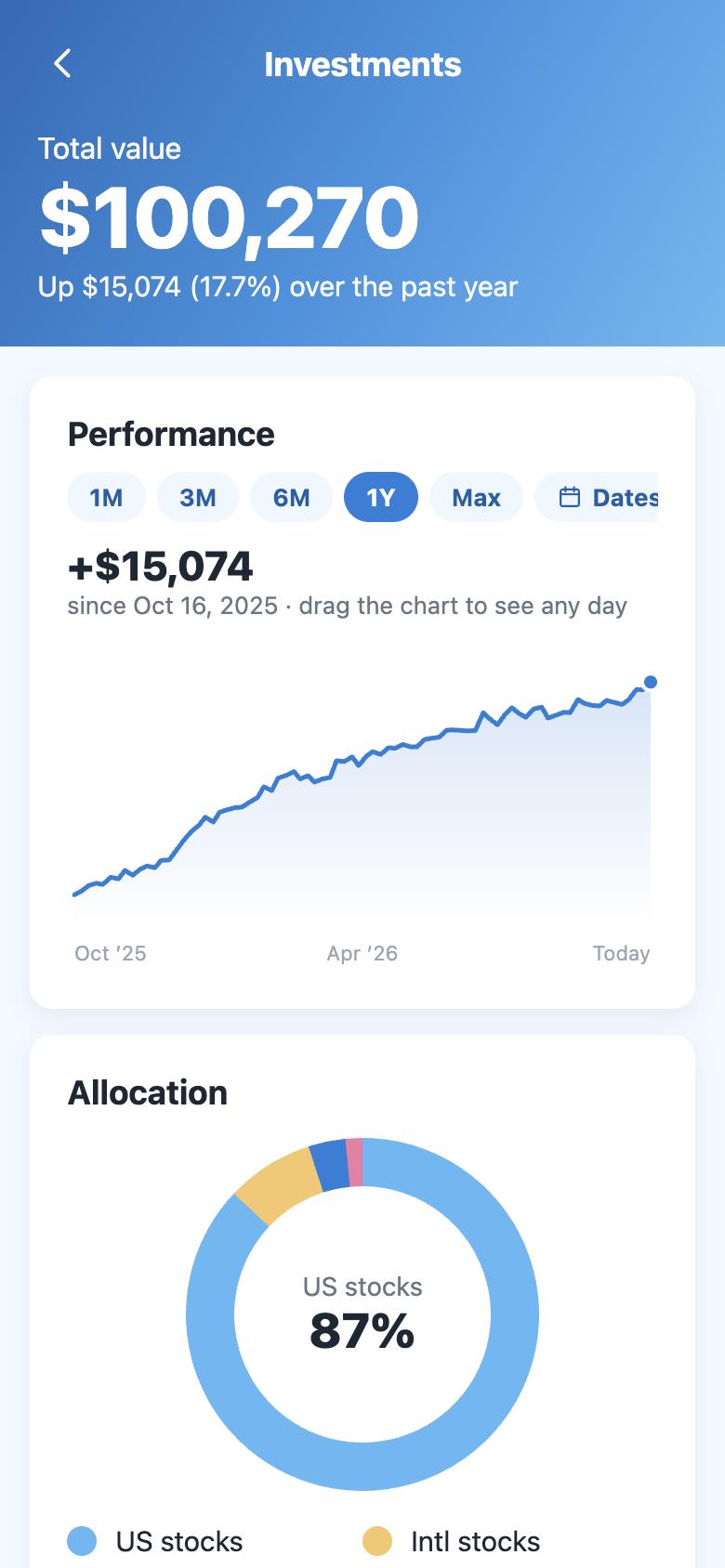
The same fund in your 401(k) and your IRA shows once, with its full weight. See single stocks, ETFs, mutual funds, bonds and cash as a share of your investments and of your net worth.
Extra money
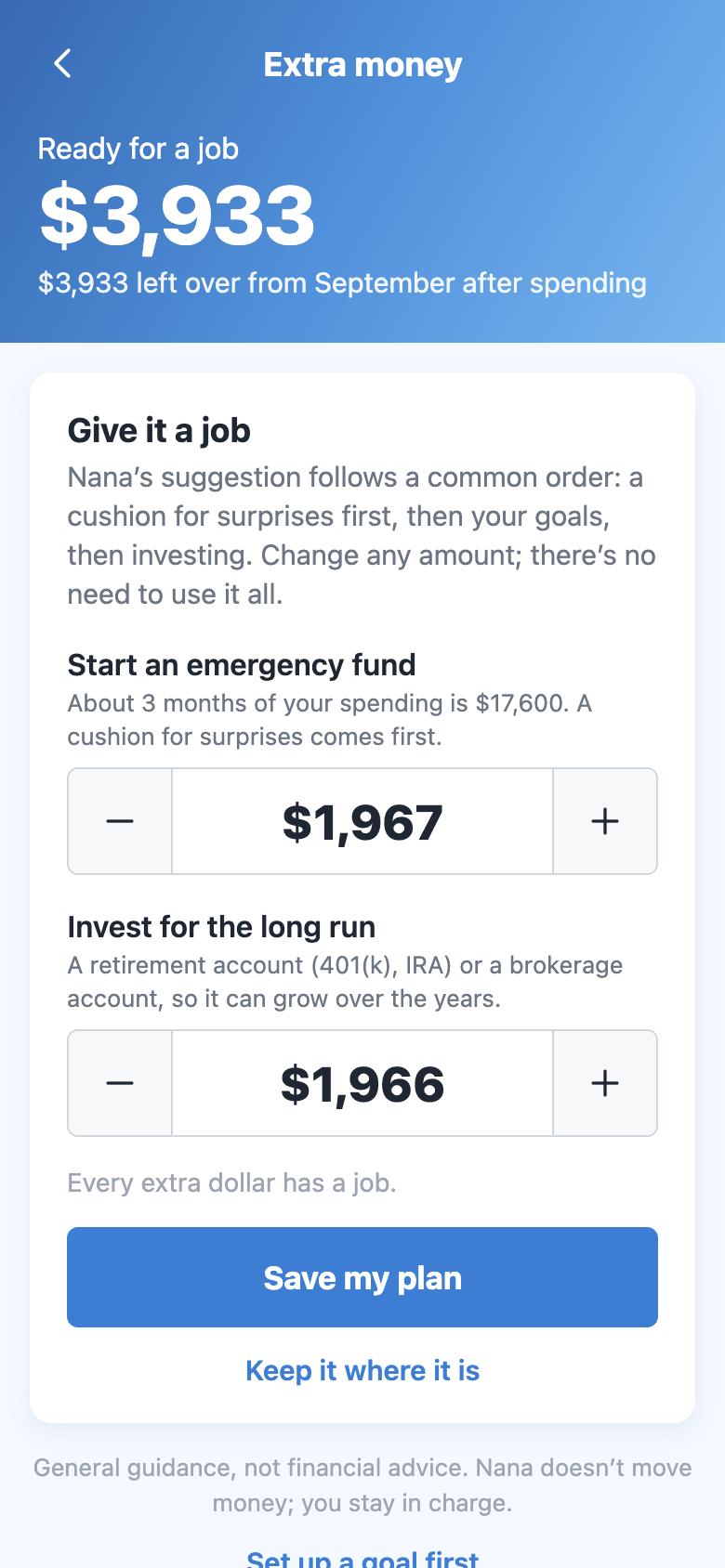
When you earn more than planned, or a month ends with money left over, Nana notices and suggests where it could go. You choose the amounts, move the money in your bank, and tick it off.
Alerts
Choose what you hear about and the amount that counts as large. Every alert opens exactly what it’s about.
Household
Invite your partner with a code. You both see the same accounts, budgets and goals, each from your own login, and either of you can link banks. Decide who can edit and who can only view.
Privacy & security
Nana is built to look, never to touch. Here’s exactly how.
You sign in to your bank through Plaid. Nana never sees your bank password and can never move money.
Encrypted in transit and at rest. Each account can read only its own data, and bank keys never leave our servers.
Sign in with a passkey or Apple, and lock the app behind Face ID. Your biometrics never leave your phone.
We don’t sell your information, show ads, or use your data to market other companies’ products.
Need help? Share with support for a few hours, and see every time they looked. Turn it off any time.
Export your transactions, or delete your account and every bit of data in it, right from Settings.
iPhone and web
Use the iPhone app on the go, and the full Nana in any browser at app.nanafinance.com. Sign in with the same account and everything is already there, kept in step as it changes.
Open Nana on the webFAQ
Yes, Nana is free while we’re in early access. If we add paid features later, we’ll tell you well ahead of time.
Nana connects through Plaid, which supports thousands of US banks, credit cards, loan servicers and investment firms. You can also add accounts by hand, plus your home or car.
No. Nana’s access is read-only. It can see balances and transactions; it can never make payments or transfers. When Nana suggests moving extra money, you do it in your own bank.
Your data is encrypted in transit and at rest, each account can only read its own information, and Nana never sees your bank password. We don’t sell data or show ads. The details are in our privacy policy.
Yes. Invite them from Settings, then Shared household. You each keep your own login and see the same accounts, budgets and goals. You choose whether they can edit or only view.
Not yet. Nana is on iPhone, and the full app works in any browser, including on Android phones, at app.nanafinance.com.
Nana is in beta on iPhone. Create an account on the web today, and you’ll be able to sign in to the iPhone app with the same account as it opens up.
Open Settings, then Data and privacy, then Delete my account. This disconnects every bank and permanently deletes your data and your login.
Free, read-only, and ready in a few minutes.